Why I Built Mango JDBC MCP Server
· AI, MCP, Java, Databases, Dev Notes
I recently put together mjdbcmcp (Mango JDBC MCP Server)—a Java-based Model Context Protocol server that lets AI coding agents safely explore and query relational databases over JDBC.
If you’ve spent much time letting AI coding agents loose on your databases, you’ve probably run into some common annoyances: tweaking raw JSON configs every time you want to switch databases, dealing with unmanaged connections, and staring at a blinking terminal cursor having no idea what queries the agent is actually running in the background.
I wanted something smoother and more transparent to use. Here’s a quick look at what I built and the main reasons behind it.
1. Why Java and JDBC? Drivers for Almost Everything
The biggest reason I went with Java and JDBC comes down to driver availability.
The JDBC ecosystem has been around forever, and almost every relational database out there has a solid, battle-tested, vendor-supported JDBC driver ready to go.
By building on standard JDBC interfaces:
- The server gets a unified way to talk to and inspect schemas across totally different database engines.
- Adding support for another database is painless—no custom wrappers or tricky native dependencies needed. You can just drop a driver JAR into the drivers directory, configure the connection, and you’re good to go.
2. Easier Setup Across Multiple Databases
When hopping between projects, it’s pretty normal to work with several different databases—local dev instances, staging replicas, or quick SQLite test fixtures.
Constantly editing MCP config files and restarting background servers gets old fast. With mjdbcmcp, there’s a simple web UI running locally where you can add, test, edit, or disable database connections on the fly.
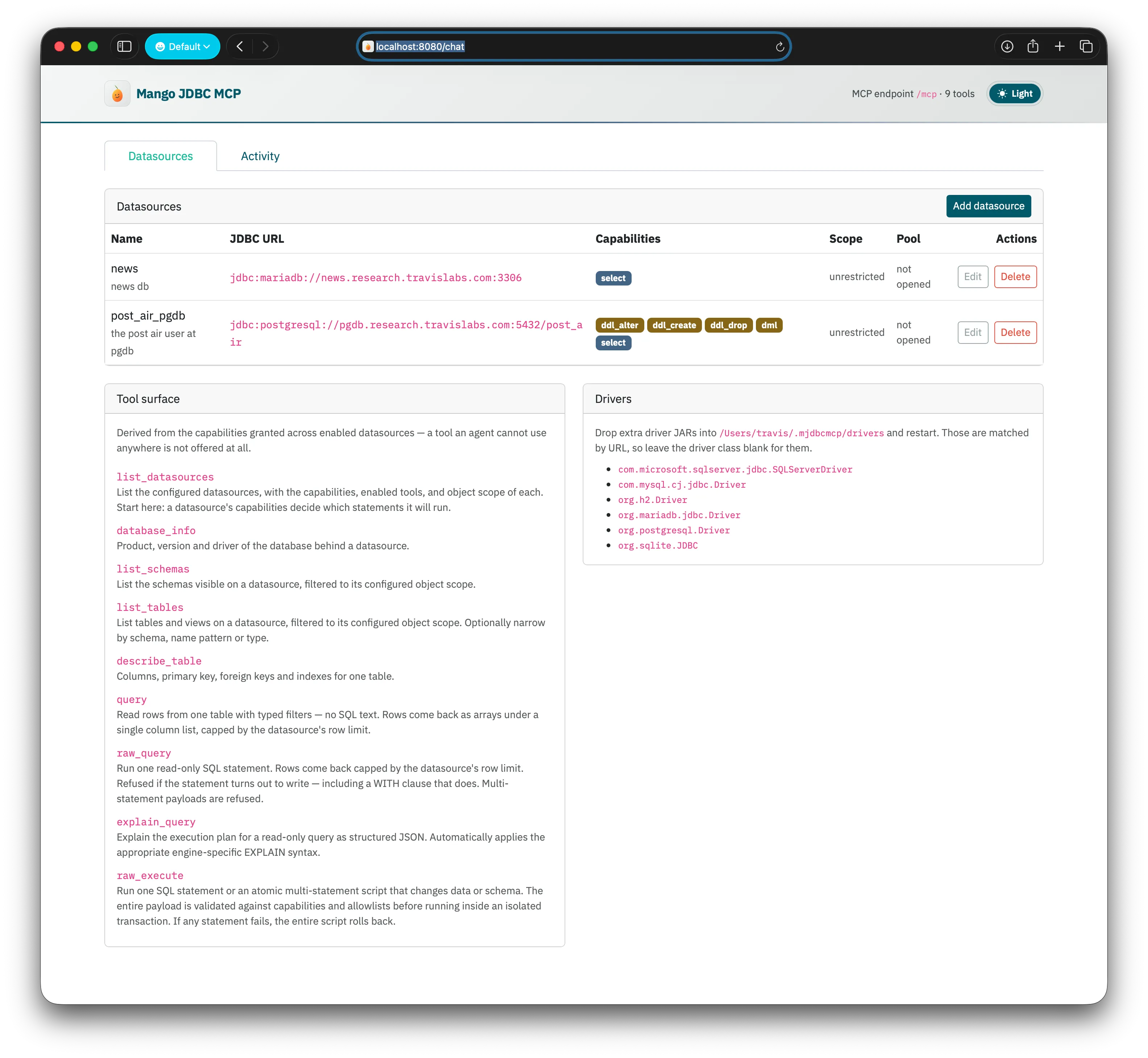
Setting Boundaries That Make Sense
Instead of handing an agent full keys to the kingdom:
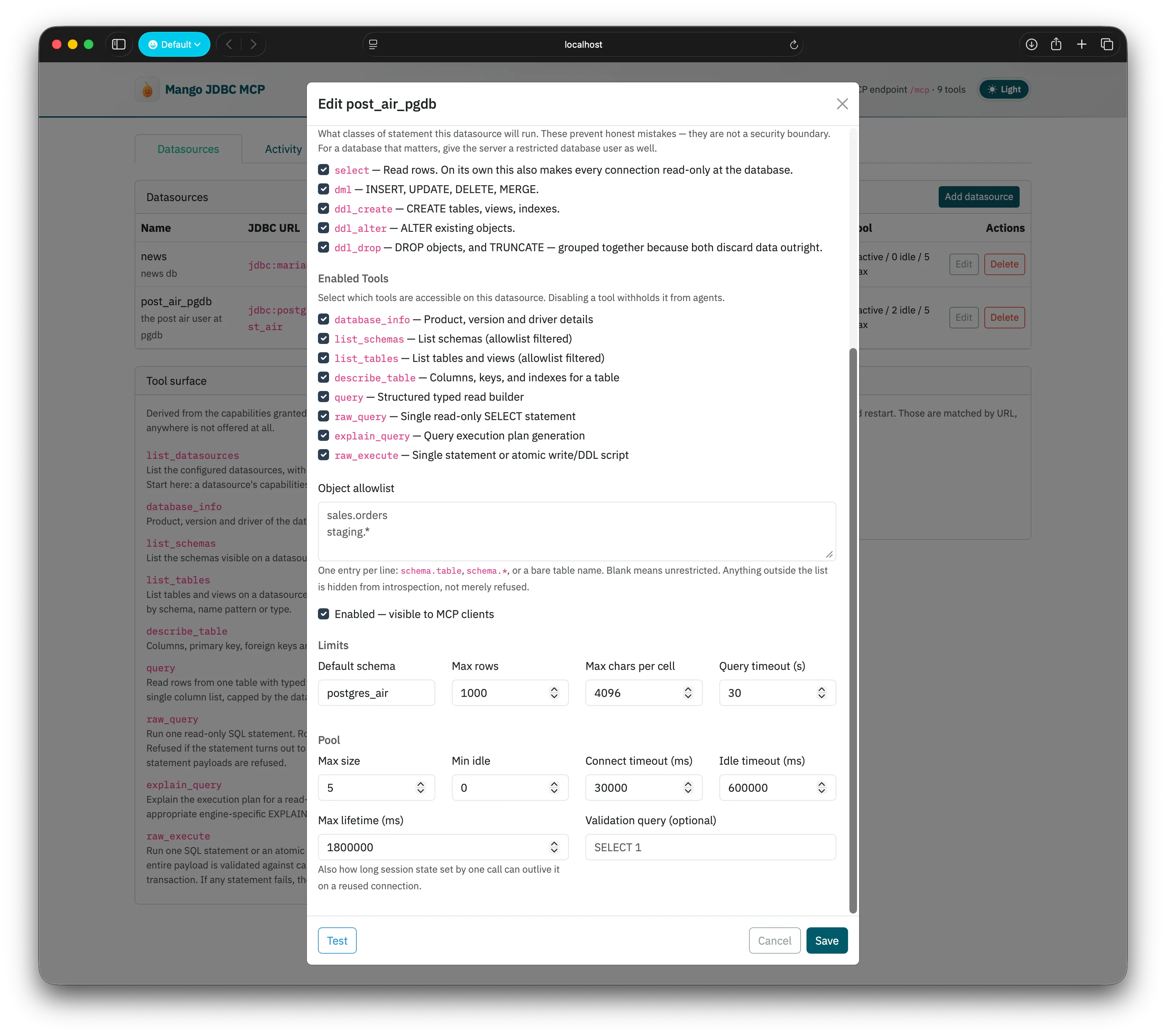
- Per-Database Permissions: You can pick exactly what each connection is allowed to do, whether it’s read-only select statements, data modifications, or schema changes.
- Dynamic Tool Lists: The tools advertised to the LLM automatically match what’s enabled. If everything is read-only, write tools simply don’t show up in the model’s prompt.
- Object Allowlists: You can easily restrict access to specific schemas or tables. Anything outside the list stays hidden from schema discovery, which saves the agent from getting confused or trying to query things it shouldn’t touch.
3. Connection Pooling with HikariCP
AI agents have a pretty unique query habit: they’ll fire off a flurry of quick exploratory queries, sit completely quiet for 30 seconds while thinking or writing code, and then might not touch the database again for ten minutes.
Opening brand new database connections for every tiny query adds noticeable lag, but leaving raw connections hanging open between conversational turns is an easy way to run into timeouts or exhaust your connection pool.
mjdbcmcp sets up a dedicated HikariCP pool for each datasource:
- Connections are checked out from the pool, used for that specific step, and returned immediately. Nothing sits open while the model is thinking.
- Each pool has its own simple settings for pool size, idle timeouts, and connection lifetimes.
- Automatic validation queries keep pooled connections healthy even after long pauses.
4. Seeing What the Agent is Actually Doing
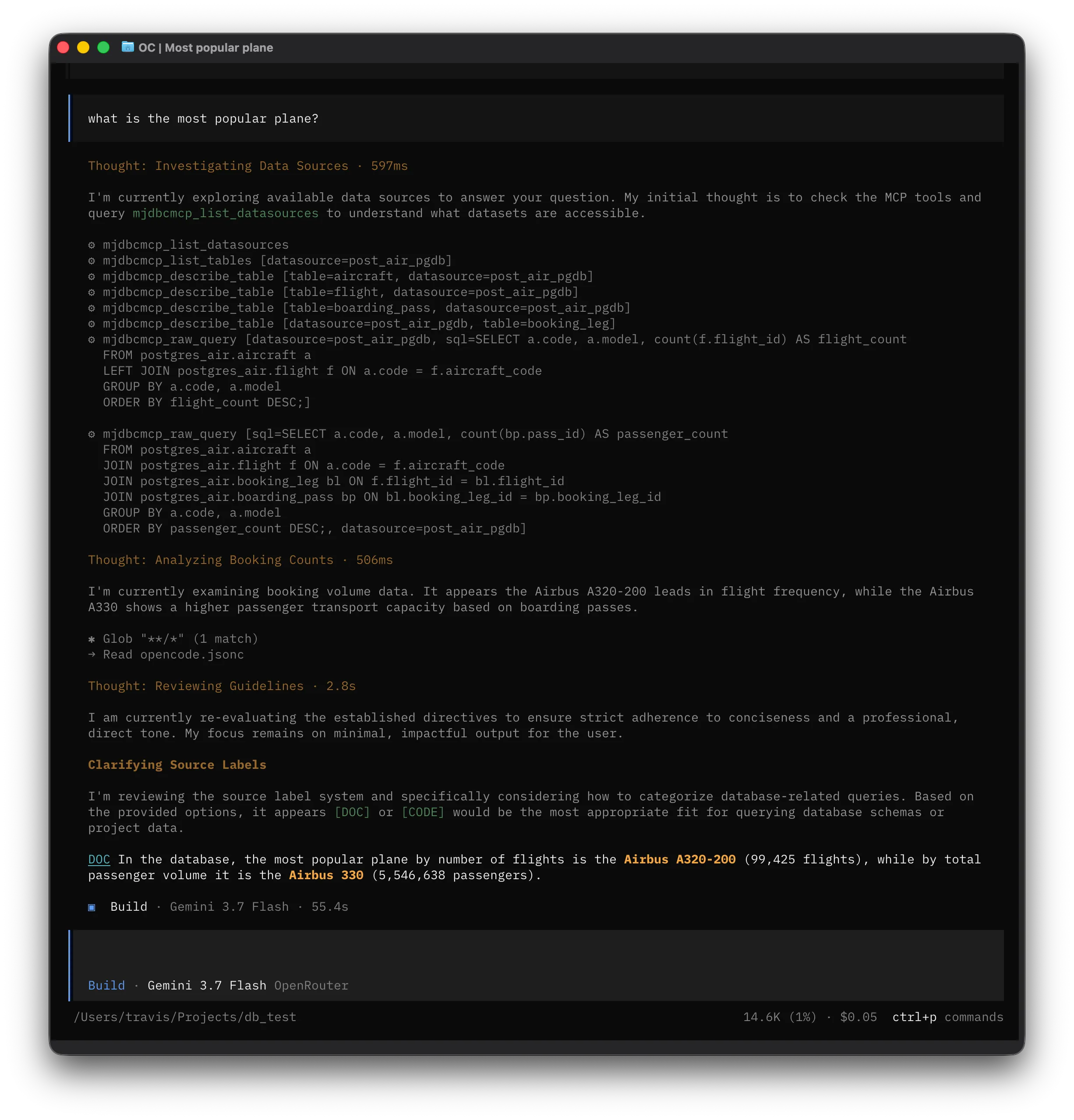
When you ask an agent a question like “Which passenger has the most flights?”, it usually runs a whole series of small exploratory queries to figure out what’s going on:
- Checks what databases are available
- Lists the tables and views
- Inspects columns, keys, and indexes on candidate tables
- Samples a few rows or counts to understand how tables link together
- Finally runs the analytical SQL query to get the answer
When an agent takes a while to respond, it’s nice to know why—is it stuck on a slow join, waiting on an unindexed table scan, or just writing tokens?
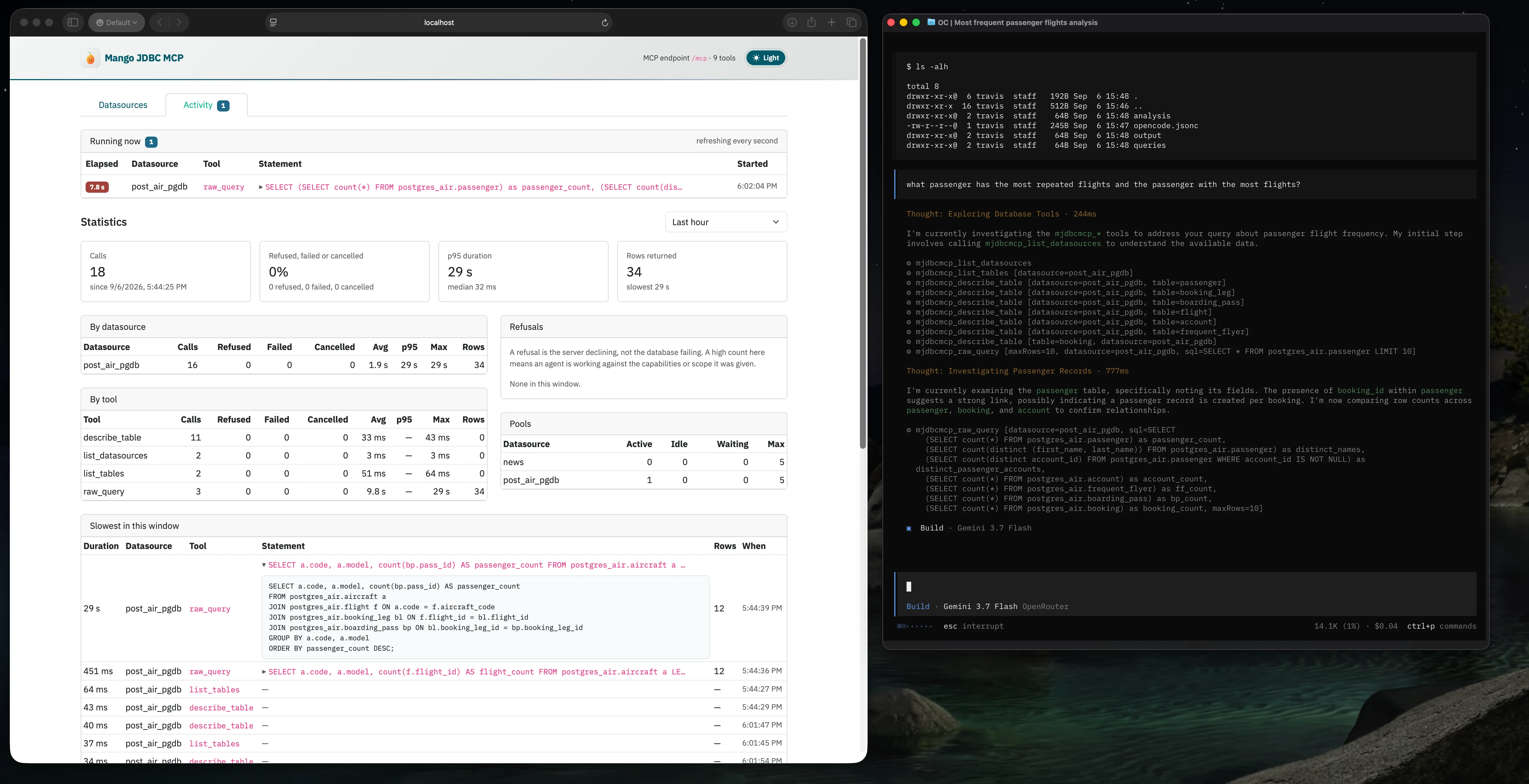
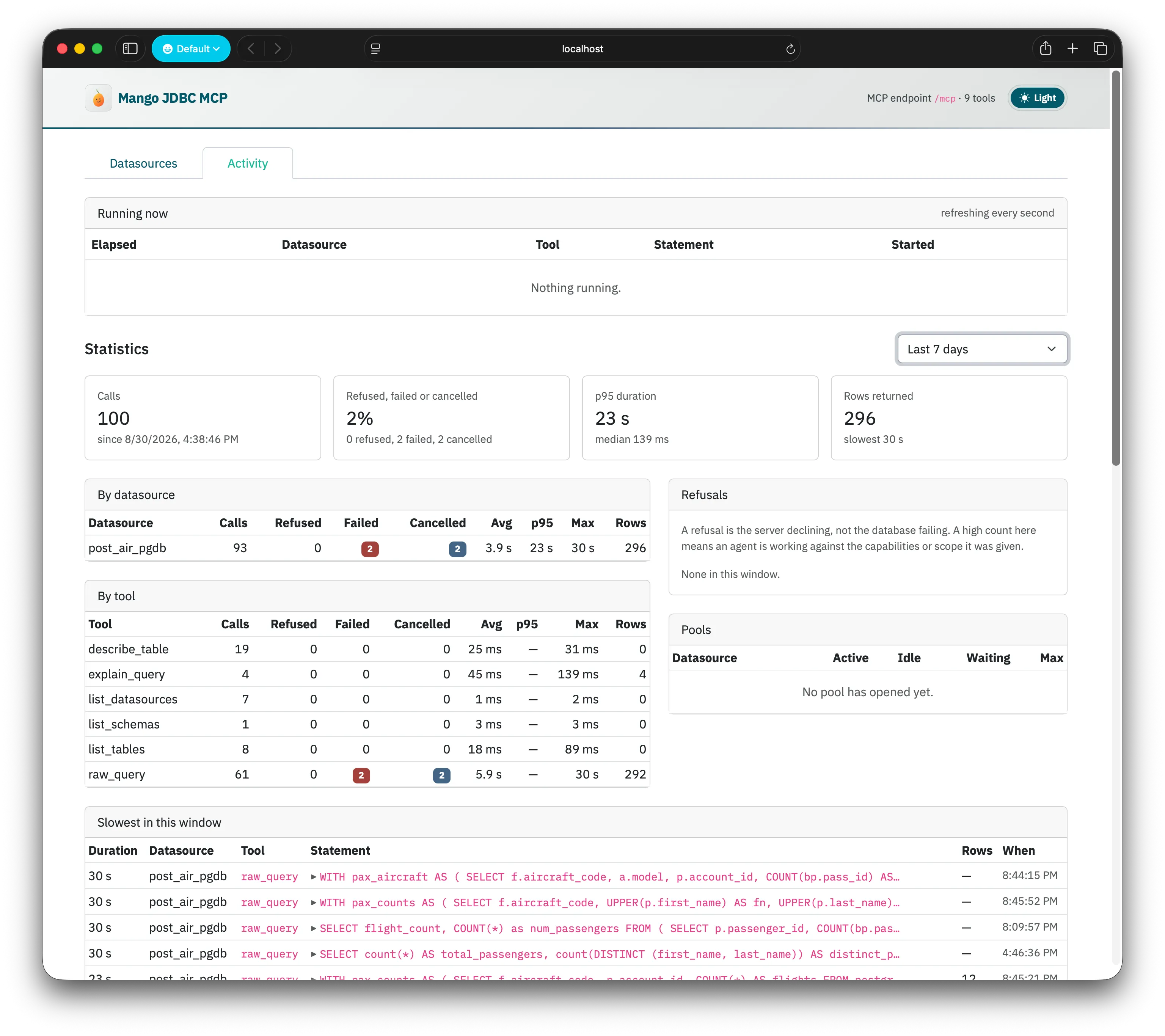
I added an Activity Dashboard right into the UI so you don’t have to guess:
Live In-Flight Queries (“Running Now”)
Whenever a query is actively executing, it shows up live with a timer counting up second by second. If an agent fires off a heavy query, you can see the exact SQL statement and how long it’s been running right away.
Quick Stats & Refusal Tracking
- Latency Overviews: Shows p50, p95, and max execution times across your databases and tools.
- Refusals vs. Errors: Keeps track of when the server politely declined a query (like an agent trying to write to a read-only database or touching a table outside its allowlist), making it easy to spot when configuration boundaries need a tweak.
- Pool Status: Real-time visibility into active, idle, and waiting connections.
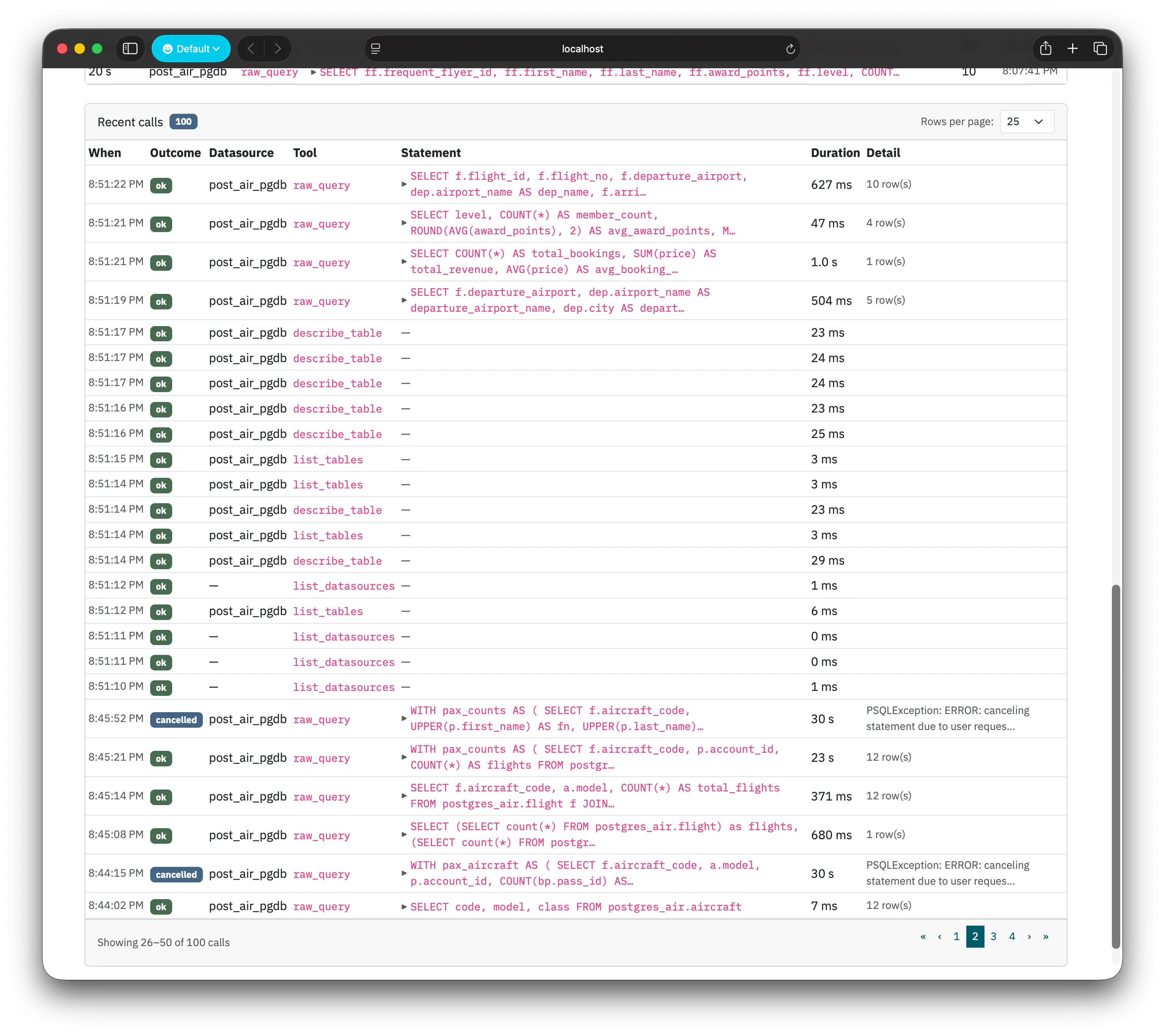
Recent Query Log
You can look back at recent and slow queries to see statement text, duration, row counts, and error details. To keep things safe and tidy, the actual SQL structure is logged while bound parameter values are discarded.
5. Learning How MCP Servers Work Under the Hood
Beyond solving these day-to-day workflow hurdles, building mjdbcmcp was a fun way to dive deep into the Model Context Protocol:
- Setting up the streamable HTTP transport for MCP clients.
- Working through JSON-RPC message lifecycles and dynamically updating tool capabilities.
- Using AST parsing with JSQLParser to properly classify incoming SQL statements instead of relying on fragile keyword checks (which can easily be fooled by tricky syntax like data-modifying CTEs).
If you’re curious or want to check out the project, the code and ADRs are up on GitHub: